Lifting satisfaction for campaign creation
An end-to-end research and redesign project for the campaign creation form, turning a fragmented, error-prone user journey into a streamlined experience for CRM teams.
Clicks reduced
UX tickets shipped
Satisfaction uplift
The brief
An email campaign is how marketing teams communicate with customers at scale, writing the content, choosing the audience, and scheduling exactly when it sends. For teams managing dozens of these a week, the tool needs to be fast, clear, and reliable.
This internal tool wasn’t any of those things. Campaign creation was spread across too many disconnected steps. Drafts disappeared without warning. Error messages were missing or wrong. Visibility into what had been sent and how it performed was near zero.
I was asked to audit the existing experience, understand where users were struggling, and redesign the campaign creation journey from the ground up, within the company’s new design system.
Process
Moderated usability testing on the live tool
Recruited daily users, CRM Executives and Traders, and ran sessions on the real product to capture friction points in their own words, not as assumptions.
UX audit & heuristic evaluation
Audited the full campaigns section against Nielsen's heuristics. Tagged every issue by type, error handling, visibility, efficiency, and cross-referenced against user insights to prioritise by severity.
Competitor analysis
Benchmarked against tools users already knew and trusted, looking for patterns to adopt and gaps to close.
Prioritisation workshop
Ran a FigJam workshop with the design team and product manager. Grouped issues by theme, mapped them on an impact/effort matrix, and shaped the roadmap, with the email creation journey coming out highest priority on both dimensions.
Redesign in the new design system
Designed the full Email Campaigns module inside the company's new SaaS component library. Worked closely with engineering throughout to ensure designs were technically feasible before handoff.
Design validation & handoff
Ran a second round of moderated testing with the same cohort. Synthesised findings, iterated, and handed off with full specs and user stories mapped to acceptance criteria.
Insights
The audit and testing sessions pointed to the same clusters of friction. These eight issues directly shaped the redesign.
No draft saving
Work lost silently on navigation or session expiry. A recurring pain for campaigns built across multiple sittings.
Silent errors on duplicate names
Re-using a campaign name caused a silent redirect with no message, leaving users confused and losing all their progress.
Broken email preview
Preview didn't work reliably, meaning campaigns couldn't be visually verified before sending.
Too many steps to create
The flow was fragmented across too many screens, with redundant confirmations and poor information architecture.
Templates by ID only
No thumbnails or descriptions meant users had to memorise which template was which, causing frequent selection errors.
No delivery analytics
After sending, open rates, bounce data and throttle counts were invisible. Users relied on separate tools entirely.
Dashboard hard to scan
The list showed only campaign names and IDs, with no subject line, send time or reach data visible at a glance.
No bulk list management
Managing dozens of weekly campaigns required opening each one individually, with no multi-select or filtering available.
Prioritisation
Every campaigns issue from the audit was mapped onto this matrix in a workshop with the design team and product manager. It shaped what made it into the redesign scope and what was deferred.
Redesign
The old flow had too many disconnected steps with no clear progress model. The new one is four focused stages, linear, recoverable at any point, with context always visible.
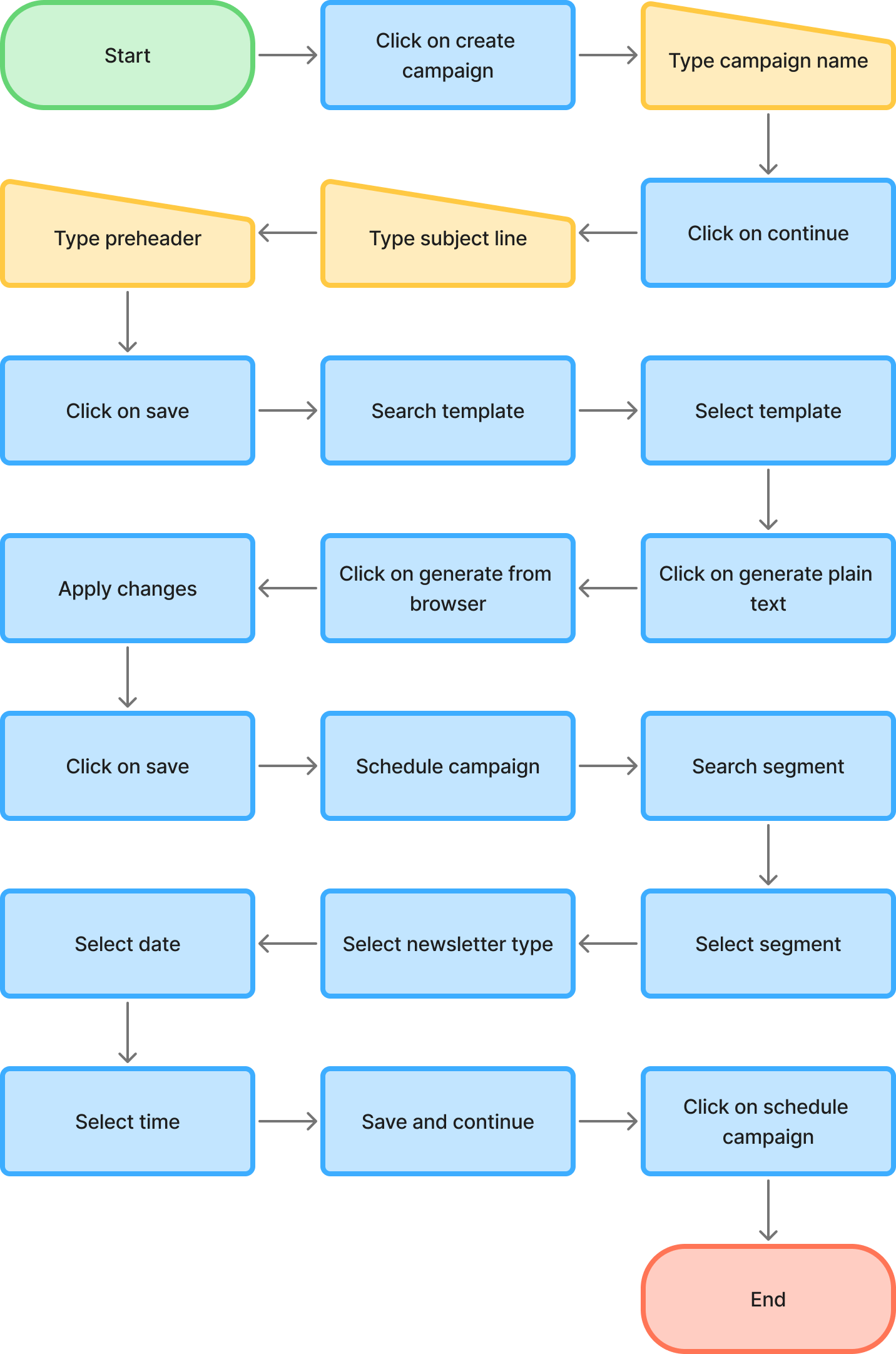
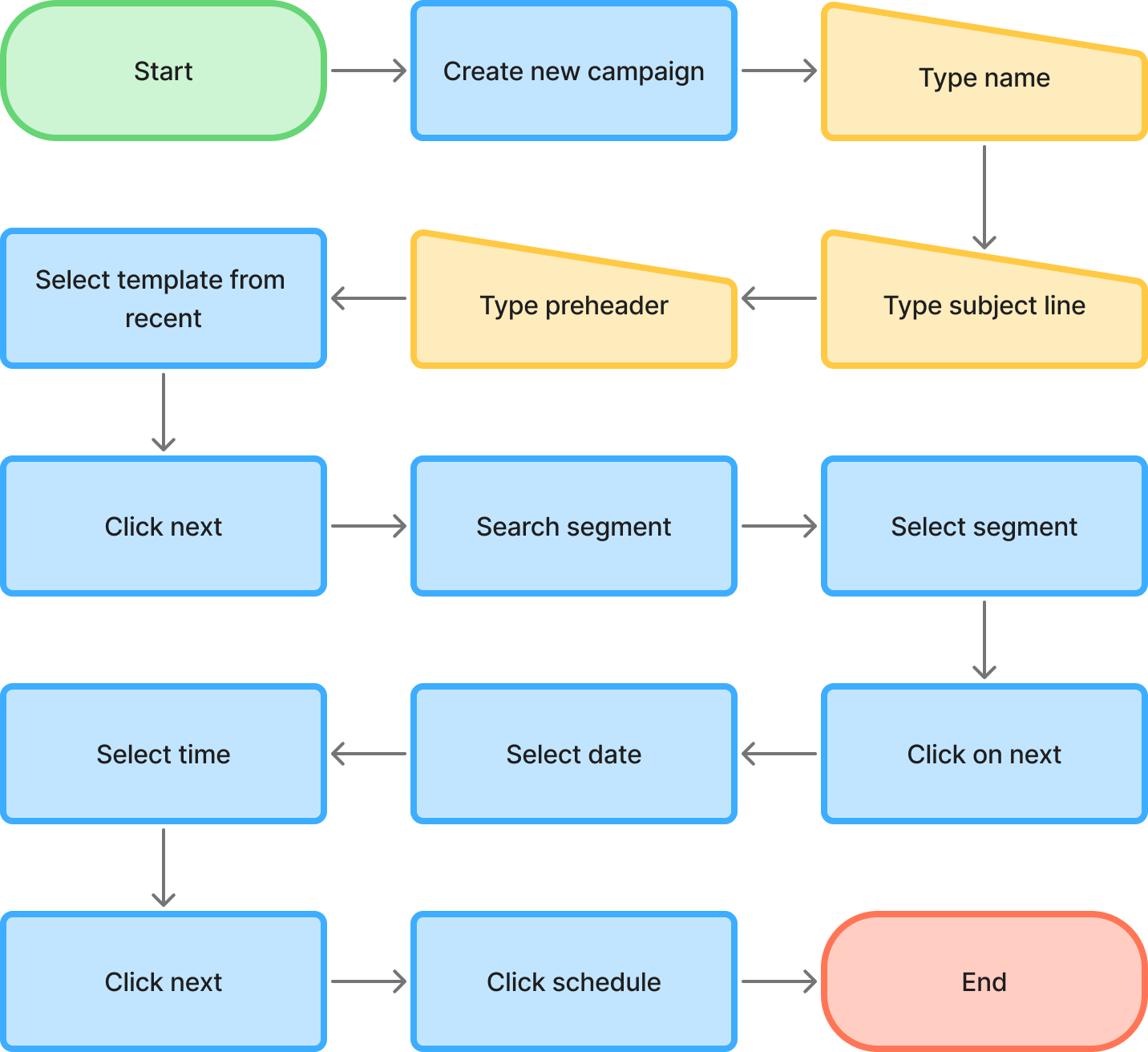
The four-step structure consolidated what was previously spread across ten or more separate screens.
- ✕No draft saving, work lost on exit
- ✕Duplicate name causes silent redirect
- ✕~10 disconnected steps
- ✕No live preview during creation
- ✕Templates identified by ID only
- ✕Promo code buried on recipient page
- ✕Dropdown only for time, no free input
- ✓Auto-save at every step, return anytime
- ✓Real-time inline name validation
- ✓4 focused, linear steps
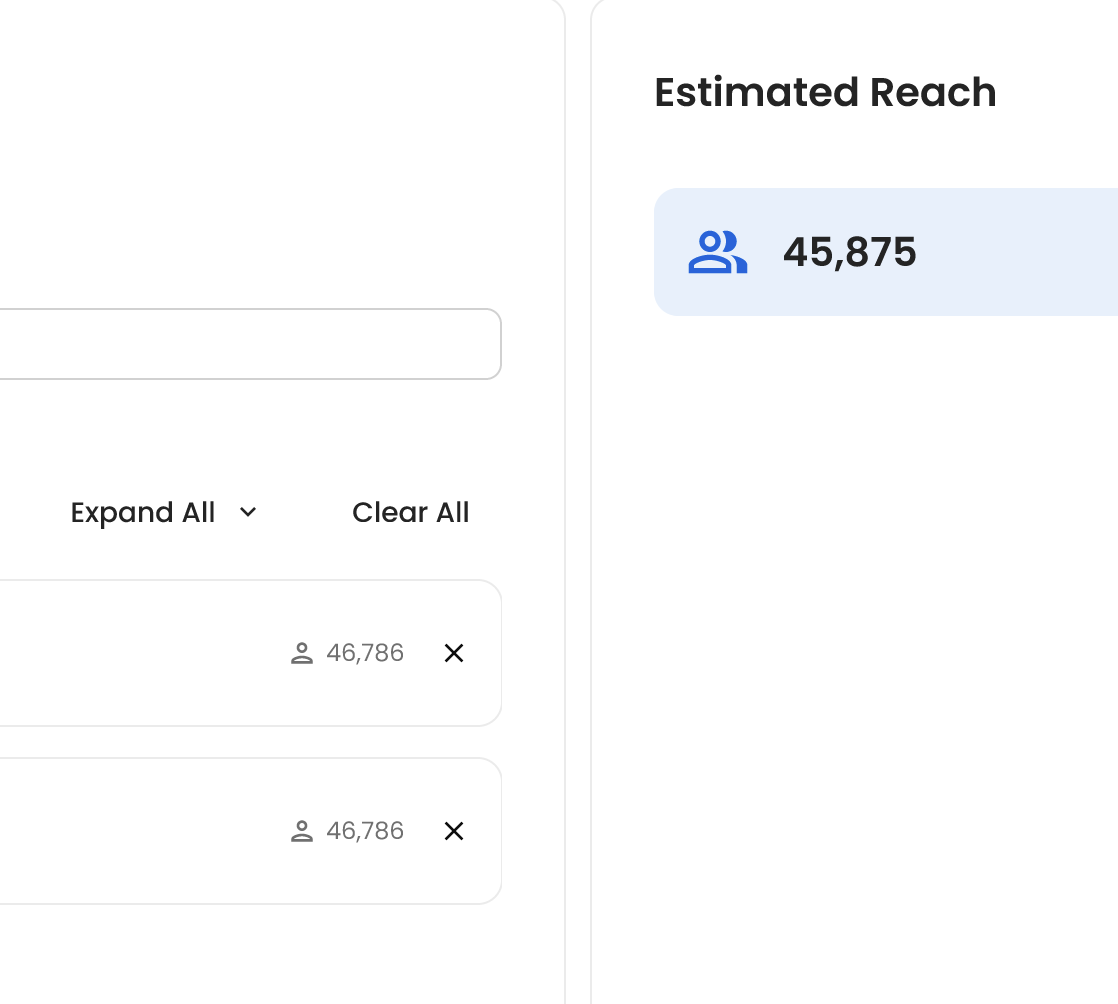
- ✓Live preview panel throughout
- ✓Template grid with visual thumbnails
- ✓Promo code moved to content step
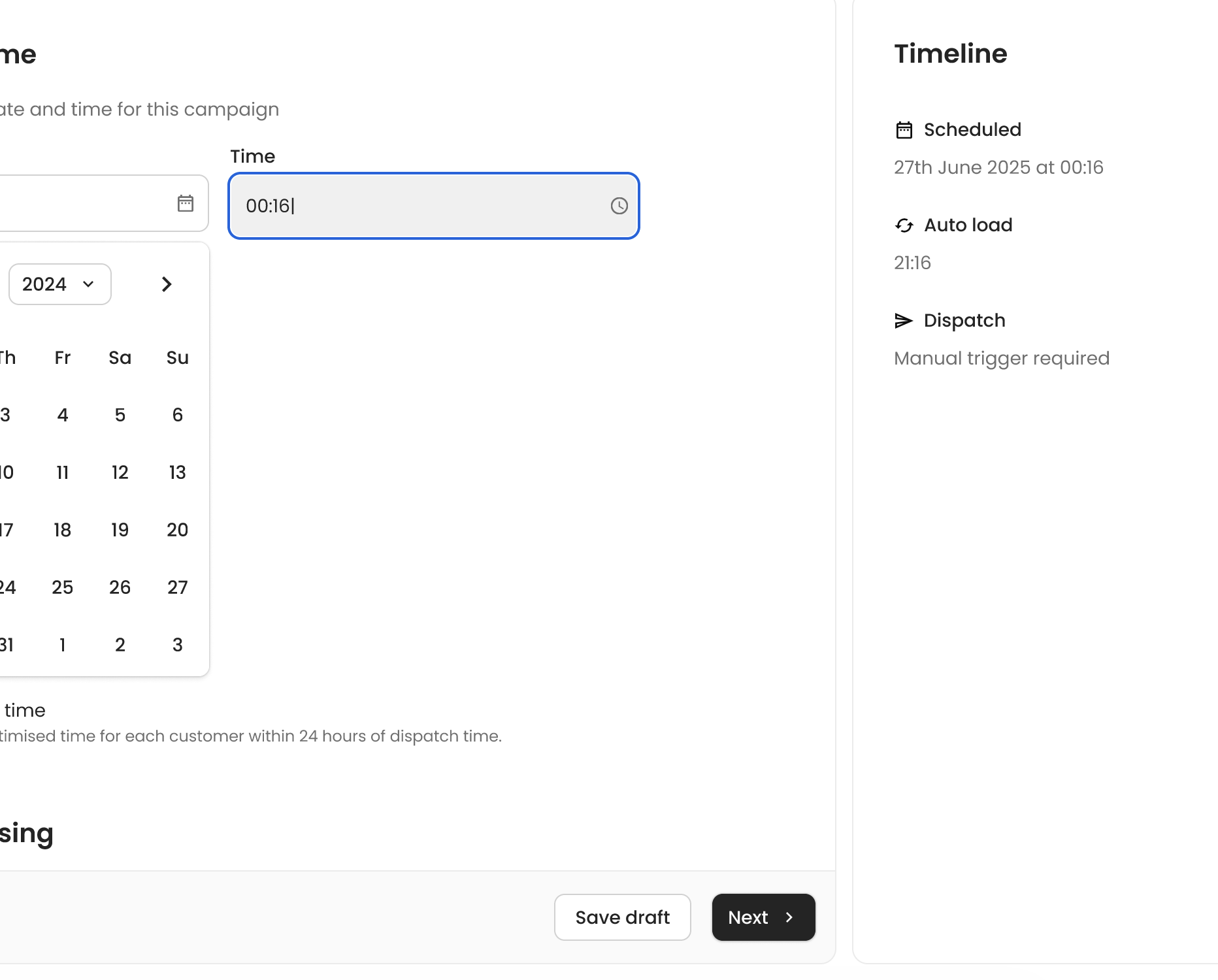
- ✓Typeable, searchable time input
Validation
After completing the redesign I ran a second round of moderated testing with 5 daily users, the same cohort as the initial research. Participants walked through the full email creation journey on the new prototype and rated it on a 1–7 Likert scale compared to the current tool.
“These changes are exactly what we have been asking for.”Study participant, CRM Executive
“The new designs look really good, it's great to see where my feedback has been implemented.”Study participant, CRM Trader
Testing also produced four direct refinements before handoff:
- 1
Remove the archive section confirmed unused. Removing it reduces navigation clutter with no real loss.
- 2
Thumbnails are post-MVP. Subject lines and message content already distinguish campaigns well enough. Thumbnails at small sizes were hard to differentiate anyway.
- 3
Rename "Standard" to "Non-segmented" in the filter, making the distinction between notification types immediately clear to all participants.
- 4
Allow segment editing when duplicating. Most duplications happen to resend to a new audience, so the flow should support this natively.
See it in action
The same task, creating and scheduling a new email campaign, in both the current tool and the redesigned prototype.
Fragmented steps, no draft save, no live preview
4-step flow, live preview, inline validation, draft save
Thanks for reading
If you’re looking for a product designer who works end-to-end, research, systems, delivery, I’d love to chat.